
Opal Screen Time Limit & Timer
Opal: The Focus CompanyProductivity
4.4207.00 Reviews
- Version
- 4.9.0
- Installs
- 500.00K
- Age Rating
- Everyone
Screenshots
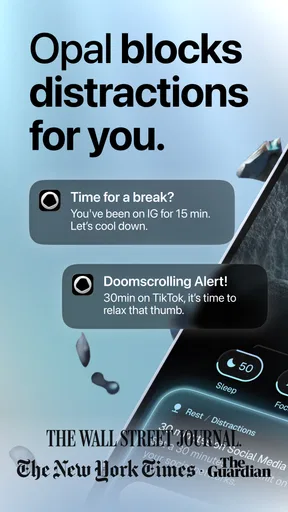

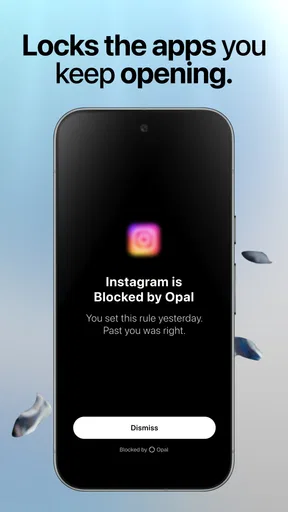
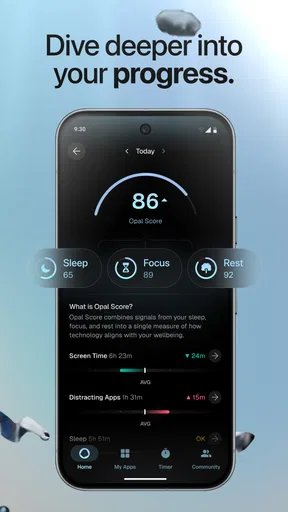
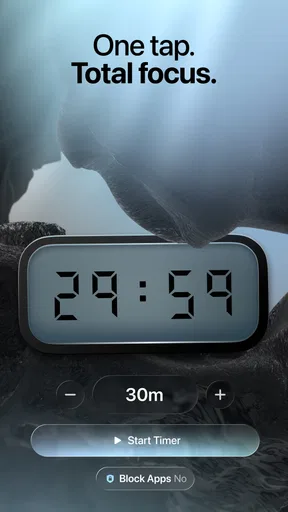
Our Review of Opal Screen Time Limit & Timer
 Analysis by Appyee
I approached Opal Screen Time Limit & Timer as a productivity tool for the moments when good intentions lose to an automatic scroll. Its purpose is straightforward: help me put distance between myself and distracting apps so I can return to work, study, reading, or rest with fewer interruptions. That sounds simple, but the real test is not whether blocking exists. It is whether the app fits naturally into the way I already use my phone.
My overall impression is positive, with one important condition: Opal works best when I treat it as a structure for my day rather than a magic switch. The app can make an impulsive habit less convenient, but I still have to decide what deserves protection and when. That balance makes it more useful than a basic timer for some people, while also making the setup choices more important than they first appear.
Where people usually get stuck
The first point of friction is deciding what to block. If I select too little, I can simply move from one distracting app to another. If I select too much, I may interrupt useful communication, navigation, music, or a task that depends on a particular service. I found that the best starting point is not a dramatic “block everything” plan. It is a short list of the apps that most reliably pull me away from the task in front of me.
That distinction matters because Opal is not really about judging whether an app is good or bad. A social network might be useful at lunchtime and completely unhelpful during a writing session. A video app might be part of research in the afternoon but turn into passive viewing late at night. I get better results when I define the situation I want to protect, then choose the distracting apps around that situation.
Another common sticking point is expecting the first configuration to feel perfect. It probably will not. A focus routine often needs adjustment after a few real days of use. I may discover that I forgot a second app, blocked something needed for work, or chose a session length that does not match my attention span. That is not necessarily a failure of the app. It is useful feedback about how my phone fits into my routine.
Opal comes from Opal: The Focus Company and sits in the productivity category. It is free to start, with in-app purchases ranging from $2.99 to $79.99 per item. I would not decide based on the purchase range alone. The important question is whether the basic experience already addresses my main distraction problem before I consider paying for anything additional.
Why the first session can feel stricter than expected
Blocking changes the normal response loop. Normally, I tap an icon, see the content, and decide whether to continue. With a focus limit or timer active, that path is interrupted before the habit can run on autopilot. The interruption can feel inconvenient, particularly when I have not separated urgent phone tasks from optional browsing.
For that reason, I recommend testing Opal during a manageable work period rather than activating the most restrictive plan immediately before an important appointment. I first make sure I can still reach the tools I genuinely need. Then I use the app during a low-risk session, notice what gets in the way, and refine the selection. This approach avoids blaming the blocker for a problem caused by an overly broad setup.
A realistic example is a remote worker preparing a report after lunch. The worker may want to block social feeds and short-form video, while keeping email, calendar, cloud documents, and messaging available. If the session includes every communication app, useful requests may be missed. If it includes only one feed, another familiar distraction may take its place. Opal is most helpful here when the session is designed around the report, not around a vague wish to use the phone less.
Setup checks that prevent avoidable frustration
Before relying on a focus session, I check the obvious things first: the selected apps, the intended timing, and whether the current routine matches what I am about to do. This sounds basic, but it prevents the most confusing situations. When a distraction still appears, the cause may be that it was never included, that the session is not active, or that I am using a different app that serves a similar purpose.
I also separate “blocked during work” from “limited throughout the day.” Those are different goals. A focused session is useful when I need a protected window for one activity. A broader limit is better when I want to reduce repeated checking across the entire day. Mixing both goals in one setup can make the result hard to understand. I prefer a clear rule for a clear problem.
The current version is 4.9.0, and the app requires at least operating system version 10. Before troubleshooting anything complicated, I make sure the device meets that requirement and that the app is current. I also close and reopen the app after making a meaningful change, then test the routine in a short session. Small checks like these are more useful than repeatedly changing several settings at once.
Opal is rated for Everyone, which makes its positioning easy to understand for a broad audience. That does not mean every setup is suitable for every person. A student, parent, freelancer, and shift worker may all need different rules. I would avoid copying someone else’s routine because the apps that derail one person may be essential tools for another.
A better way to choose apps
I make a quick distinction between intentional use and reflexive use. An app used for a planned task should not automatically be treated like an app opened without a clear reason. If I need a video platform for a tutorial, I may protect the tutorial window by preparing the task first and reducing the chance of drifting afterward. If I regularly open the platform without knowing why, it becomes a stronger candidate for a focus limit.
This leads to one practical insight that is easy to miss: the most effective list may be smaller than expected. A short, accurate list creates a clear boundary and makes it easier to understand whether the routine is helping. A huge list can create so much friction that I disable the system altogether. I would rather maintain a focused setup consistently than build an impressive one that I abandon.
I also keep an eye on replacement behavior. If I block my usual social app and immediately open a browser to reach the same content, the issue is not only the app selection. It is the trigger and the empty space around it. In that case, I pair Opal with a concrete substitute: a saved article, a notebook, a walk, or a short offline task. The blocker creates a pause; the replacement determines what happens during it.
Recovering a workflow when a session goes wrong
Even a well-planned routine can collide with real life. A colleague may send an urgent message, a family member may need an answer, or I may realize that a blocked app contains a necessary reference. My first response is not to dismantle the entire setup. I identify the smallest change that restores the task, then return to the original focus plan when the interruption is finished.
This is where Opal’s value depends on my willingness to review the routine instead of treating every interruption as a defeat. If the same legitimate need appears repeatedly, the app list probably needs refinement. If the interruption is rare, I may prefer to keep the boundary and handle that exception deliberately. The right choice depends on whether flexibility or protection is more important in that part of the day.
A useful recovery method is to write down the exact point of failure: which app was needed, what task was underway, and whether the interruption was truly urgent. That note gives me something concrete to change. Without it, I may respond emotionally by allowing everything again, which removes the benefit of having a focus tool in the first place.
I find this especially useful for study. Suppose I am reviewing notes and need to check a message from a classmate. If I open a general communication app and begin browsing unrelated conversations, the problem is not simply that Opal failed to block enough. The workflow had no defined recovery step. I can instead decide in advance how to handle necessary messages, answer only the relevant one, and return to the study task. The app supports that boundary, but it cannot make the decision for me.
When the phone becomes the escape route
One non-obvious trade-off is that blocking can expose how often I use the phone to avoid starting difficult work. When the tempting app is unavailable, I may switch to settings, browsing, shopping, or another low-effort activity. Opal can reduce access to selected distractions, but it cannot guarantee concentration if the entire device remains an escape route.
My solution is to combine the session with a defined first action. Instead of saying “I will focus,” I decide “I will open the document and write the first paragraph” or “I will solve the first exercise.” That makes the timer a container for a real task. Without a next action, the empty time created by blocking can feel uncomfortable, and I may search for a new way to avoid the work.
I also avoid changing the plan every time I feel bored. Boredom is often the moment when a habit tries to regain control. If I adjust the setup immediately, I never learn whether the discomfort would have passed. At the same time, I do not force a routine that repeatedly prevents essential tasks. The useful middle ground is to review patterns after the session rather than making impulsive changes during it.
When Opal is not the cause of the problem
Not every failed focus period is a blocking problem. If I am tired, unclear about the task, worried about something else, or working in a noisy environment, removing a distracting app may not produce concentration. In those situations, Opal can still remove one source of interruption, but it cannot replace sleep, planning, a quieter setting, or a smaller workload.
This matters because productivity apps can become another form of procrastination. I can spend too long designing elaborate rules instead of beginning the work. My advice is to keep the first routine simple, use it for a real task, and judge it by whether I complete more of that task. If I am constantly reorganizing sessions but not producing anything, the setup has become the new distraction.
Opal may also be a poor fit for someone whose work depends on frequent, unpredictable access to many apps. A customer-support worker, on-call professional, or person coordinating family responsibilities may find broad blocking too disruptive. A lighter approach, such as limiting only the most optional apps during clearly defined breaks, may be better than trying to protect long uninterrupted periods.
It is also not the ideal answer for someone seeking detailed habit analysis, task management, or a complete daily planner. Its strength is the boundary around distracting apps and scrolling behavior. A task manager is better for breaking a project into steps; a calendar is better for appointments; a simple alarm may be enough for a short reminder. I see Opal as a focused layer rather than a replacement for all productivity tools.
How it compares with familiar alternatives
The usual alternative is relying on willpower. That works when I am already motivated, but it is weakest at the exact moment I feel tired or bored. Opal adds a deliberate obstacle before the habitual choice, which is more practical than asking myself to make the same decision repeatedly.
Another alternative is the phone’s built-in screen-time control. Those controls can be useful for broad limits, especially if I want a simple system already connected to the device. Opal is more appealing when I want to think specifically in terms of focus sessions and protecting a period of work. The better option depends on whether I want general monitoring or a more intentional routine around distraction.
There is also the option of deleting tempting apps. That is more decisive, but it can be inconvenient if I still need occasional access. Opal offers a middle path: keep the app installed while creating conditions in which I do not reach for it automatically. The trade-off is that this requires more ongoing attention than deletion.
Finally, some people use website blockers or physical separation, such as leaving the phone in another room. Those approaches can be stronger when the problem is the entire device, not a few specific apps. I prefer combining physical distance with Opal when I need deep concentration. The app is convenient for everyday boundaries, but a phone placed out of reach removes more temptation than software alone.
Who will get the most from it
I think Opal is a good match for students, writers, remote workers, and anyone who notices a repeated pattern of opening the same distracting apps during a task. It is especially useful when the problem is not a lack of knowledge about what to do, but the ease of abandoning it for a quick scroll. The app gives that moment a little resistance.
It can also help people who want a gentler approach than deleting apps or abandoning their phone entirely. I can keep access for intentional moments while making automatic checking less convenient. That flexibility is valuable for people whose distracting apps are also part of their social life or work.
I would be cautious if I need a complete productivity suite, highly detailed project planning, or unrestricted access to a wide range of communication tools. I would also skip it if I am unwilling to review and adjust my selected apps. A blocker cannot compensate for a routine that does not reflect real responsibilities.
The app has passed half a million installs and holds a 4.4 average from around eight thousand ratings, which suggests that the concept resonates with many users. I treat those figures as context rather than proof that it will suit me. The experience depends heavily on my device, habits, and willingness to use the limits consistently.
My practical verdict
After using it as a focused boundary rather than a punishment, I see Opal as a useful productivity app with a clear job. It helps interrupt the easiest path to distracting apps, and it encourages me to plan what I want to do with the time I protect. Its strongest quality is not complexity; it is the way a well-chosen limit can make an automatic habit require a conscious decision.
The setup deserves care. I would begin with one realistic situation, select only the apps that genuinely interfere, test the routine, and note any legitimate work that gets blocked. I would then refine the system instead of abandoning it after one awkward session. That process is more reliable than importing an extreme routine from someone else.
My final recommendation is simple: try Opal if your main problem is repeated scrolling or reflexive app checking, and judge it by completed work rather than by how strict the settings look. Keep expectations realistic, prepare a replacement activity, and remember that tiredness or unclear goals may be the real obstacle. Opal is most effective when it supports a specific plan, not when it is expected to create motivation on its own.
For me, that makes it worth considering as a free starting point, while the optional purchases should be evaluated only after the basic routine proves useful. It is not a universal solution, but for the right kind of distraction, Opal Screen Time Limit & Timer provides a practical pause between impulse and action.
Verdict
Strengths of Opal Screen Time Limit & Timer
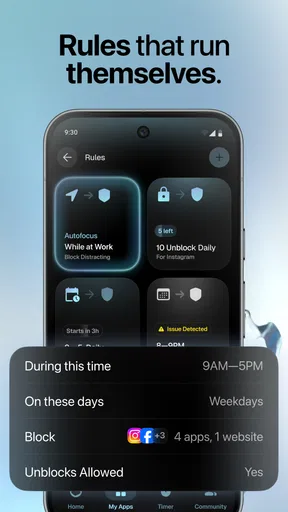
- Clear daily usage limits help reduce time spent on distracting apps.
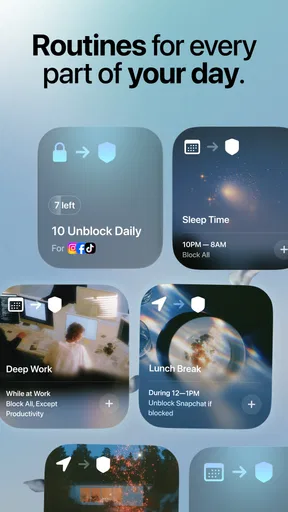
- Focus sessions can encourage healthier phone habits during work or study.
- Simple reports make it easy to identify your biggest time-wasting apps.
- Scheduled blocks are useful for creating screen-free routines.
- The interface is clean and easy to understand for new users.
Limitations of Opal Screen Time Limit & Timer
- Some advanced features require a paid subscription.
- Strict blocks may be inconvenient when access is needed unexpectedly.
- Usage tracking can affect battery life slightly on some devices.
- App limits may be bypassed if you lack the discipline to keep them active.
- Notifications and reminders can feel repetitive over time.
Similar Picks in This Category
View All
Google Calendar
Google LLC4.6

Google Drive
Google LLC4.3

Google Assistant
Google LLC3.9

Microsoft OneDrive
Microsoft Corporation4.6

Samsung Calendar
Samsung Electronics Co., Ltd.4.1

Microsoft OneNote: Save Notes
Microsoft Corporation4.6
Frequently Asked Questions
What is Opal Screen Time Limit & Timer?
Opal Screen Time Limit & Timer is a digital wellbeing app designed to help you reduce distracting phone use. It lets you monitor time spent in apps, create schedules or limits, and block selected applications during focused periods. After testing its main tools, I found it most useful for people who want practical reminders and structured restrictions rather than simply viewing screen-time statistics.
How does Opal limit or block distracting apps?
Opal allows you to choose the apps that usually interrupt your concentration, such as social networks, games, video platforms, or messaging services. You can then start a focus session or create a recurring schedule that restricts access during selected hours. Depending on your settings and device permissions, attempting to open a blocked app may display a warning or prevent access until the session ends.
Does Opal Screen Time Limit & Timer work on both Android and iPhone?
Opal is primarily known as an iPhone and iPad screen-time management app, where it uses Apple’s available Screen Time and app-restriction features. Availability and functionality can differ by operating system, device model, and app version. Before downloading, check the current listing for your specific platform, because Android users may need a different Opal version or may not have access to every feature.
Is Opal Screen Time Limit & Timer free to use?
Opal generally offers a free way to begin tracking usage and trying basic focus features, while more advanced tools may require a paid subscription or premium plan. Pricing, trial periods, and included functions can change over time. I recommend reviewing the in-app purchase details before starting a trial, especially if you want recurring schedules, deeper statistics, or additional customization options.
Can I bypass Opal’s restrictions when I need an app urgently?
Opal is intended to create a deliberate pause between you and distracting applications, but the exact bypass options depend on the focus mode and settings you choose. Some sessions may allow an emergency override, while stricter modes are designed to make interruptions more difficult. This balance is helpful for concentration, although the app cannot completely replace personal discipline or device-level controls.
